Frequently Asked Questions
This is a collection of some questions that have been asked frequently.
I cannot login to gitlab, but Windows doesn’t ask for new login information
Git uses the Windows credential manager and sometimes does not recognize correctly when a wrong password or username is provided. This leads to errors regarding incorrect login information but git does not ask for corrected information.
You can force resetting the git credentials in Windows:
open “Credential Manager” in system control
Delete information about the git server you are trying to login to (in case of eta_nexus: “git.ptw.maschinenbau.tu-darmstadt.de <git.ptw.maschinenbau.tu-darmstadt.de>”_).
I want to execute sphinx, but it complains it’s not installed
If you receive the following message, you might have to add the sphinx-scripts to your environment variables.
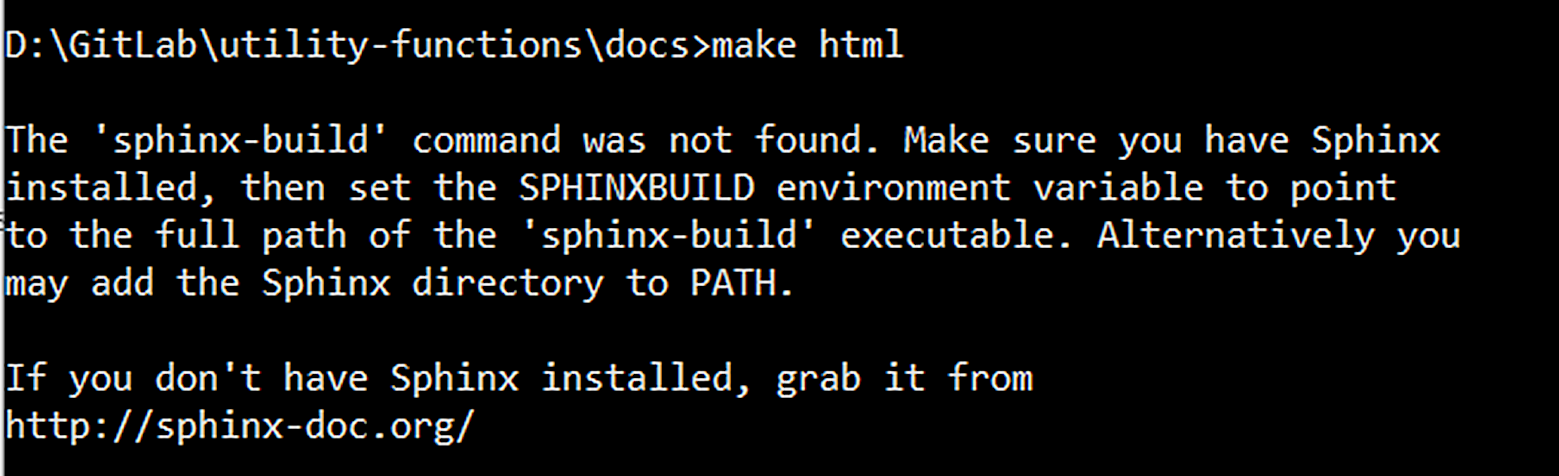
Error message shown when trying to build the documentation.
First, find the path to your sphinx installation, then add it via the terminal or through the “Advanced system settings” in Windows.
$ set PATH=%PATH%;<Your sphinx path>
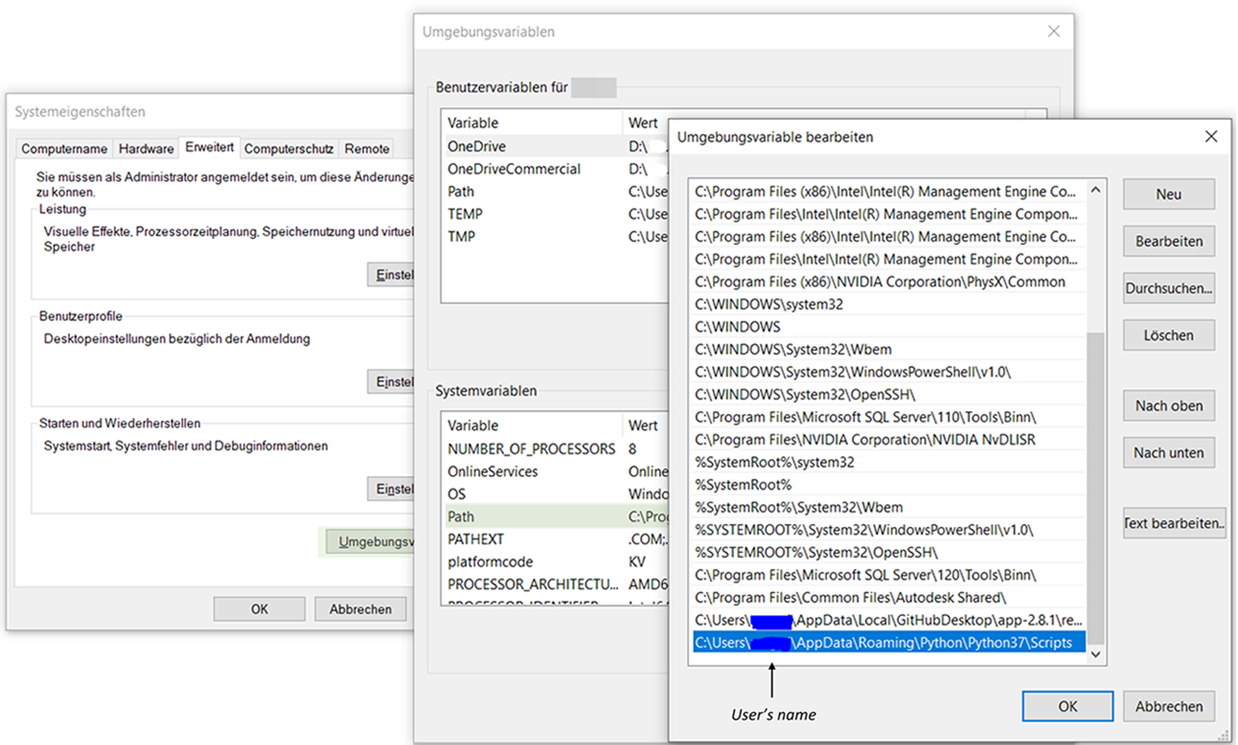
Adding sphinx scripts to PATH
I want to start eta_nexus, but in some external packages there were changes
If you want to use eta_nexus, but you get errors in some Python packages, because there were changes in the source code, make sure you use the newest version of eta_nexus. You can update with:
$ pip install --upgrade --upgrade-strategy=only-if-needed eta_nexus